New Wally Wallet v3.30.00 has been released, featuring many improvements since the last update. Wallet is in a rapid development phase, and we want to invite everyone to participate in the beta test for this new release. Existing users who have enabled testing features in application stores can already update their wallets. Everyone else who would like to test the new TestFlight beta release, please request access in the App Store.
Download the most recent Wally Wallet version:
Find a more detailed update below or in Wally Wallet Gitlab:
https://gitlab.com/wallywallet/wallet
Recent Updates
A lot of meaningful developments were delivered in the recent update. Some are exciting features, like the camouflage function, which completely hides your wallet from prying eyes. Some are more technical updates, and some rounds of fixes and new discoveries. Overall, with all these developments, it is another step forward towards the most useful wallet.
Optimized features:
-
Wally is now optimized to smoothly handle accounts with hundreds of NFTs anytime you open the application.
-
Deleting an account is now instant, and it finishes even if you close the app halfway through.
-
The sync indicator now stops spinning once the sync is complete.
Also, there is a new option for external services to hide token data for specific use cases, revealing it after purchase. It can be used for secret unlocks, digital card sets, or in any other services.
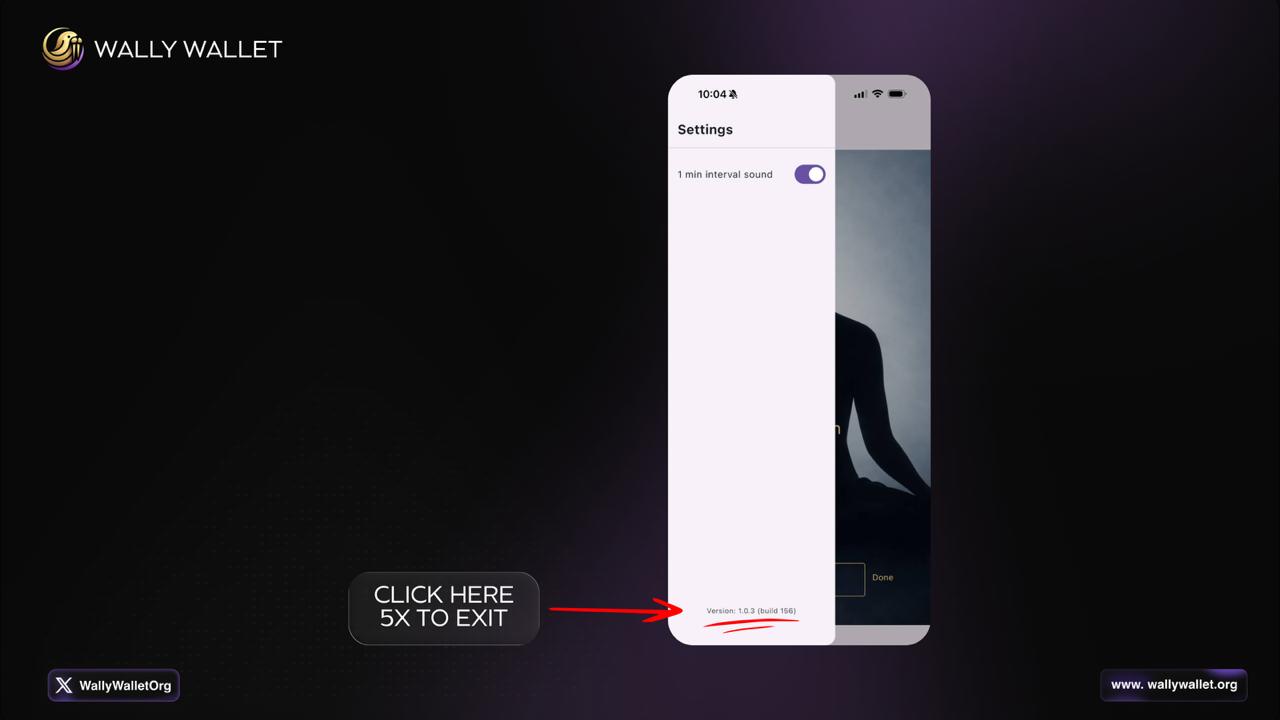
Another new hidden service is for people in situations where simply having a crypto wallet on their phone is a risk. Wally now has a camouflage mode. In Settings, under experimental features, you can disguise Wally as a meditation timer app. On Android, the disguise is complete, covering the icon, the name, the splash screen, and the app’s behavior.
Important for All Wally iOS Public Beta Testers
If you joined via TestFlight (Join the Wally Nexa Wallet beta - TestFlight - Apple), please back up your recovery phrase before the beta expires.
When a TestFlight build expires, iOS disables the app, and the only way forward is deleting it and reinstalling from the App Store. That reinstall is a clean install, it wipes all local data, including your wallet. Without your recovery phrase written down, the wallet and any funds in it cannot be recovered.
Take 2 minutes now: open Wally → Account settings → View Account Recovery Phrase → write down your 12 words and store them safely.
On iOS, the icon changes, though the name cannot be changed for technical reasons. To roll back to the original Wally Wallet version, just click five times on the version in the meditation app.
TricklePay Improvements
The first improvement is that payment-handling paths are now fully integrated with the blockchain, and all replies reflect the network’s accurate state. The second update is for accounts tied to an original session-approved account when connecting to external services. Previously, you could switch between accounts; now, connections are tied to a single account. The third improvement is for authority tokens, which let you manage assets or mint and melt tokens. These tokens can no longer be spent and accidentally pulled into a normal send.
What’s Next
Many community members have requested integration of the HODL vault, and work is already underway to integrate the contracts into Wally Wallet. Also, going forward, the focus will be on iOS polishing, startup optimization, and overall application improvement. Ongoing work includes showing which authority tokens users hold and wallet upgrade notifications with new updates.